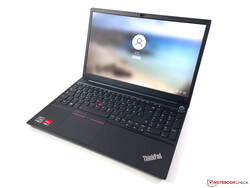
Lenovo ThinkPad E15 G3 AMD Review: Inexpensive Business Laptop with Ryzen 7
A lot of performance and very good keyboard. Lenovo updates the third generation of its 15-inch ThinkPad E15 with powerful Ryzen 5000 CPUs as well as better displays. The very good keyboard is unchanged, so the E15 G3 is a real price-performance recommendation.
After we have reviewed the ThinkPad E14 G3, we now have a look at the larger E15 G3 with new Ryzen 5000 CPUs from AMD. Customers now also get brighter displays (100% sRGB as an option) as well as a larger battery. Prices start at 770 Euros from Lenovo, while our test unit with the Ryzen 7 5700U, 16 GB RAM, a 1 TB PCIe-SSD and the 300 nits FHD screen costs 1000 Euros. Customers with access to Lenovo’s campus program can get it for 950 Euros.
Lenovo did not change the case compared to the previous model. The lid is made of aluminum, while all the other parts are made of plastic. Both the lid as well as the smooth top of the base unit are very susceptible to fingerprints, so you will have to clean it regularly. The overall stability is very good and there is only minor creaking noises when we try to twist the base unit.
Our test unit shows good build quality, but the lid is not perfectly aligned with the base unit, which is noticeable at slightly protruding edges when the device is closed. The whole bottom part can be removed, but you have to be careful not to damage the plastic hooks. 8 GB RAM are soldered onto the mainboard, but you can use one SODIMM slot to expand the memory and there is one empty M.2-2242. You can replace the Wi-Fi module, but unlike the ThinkPad L15 G2, there is no WWAN module.
Size Comparison
Connectivity
Left side: USB-C 3.2 Gen.1 (DisplayPort 1.2, Power Delivery 3.0), USB-A 3.2 Gen.1 (Powered), HDMI 1.4b, 3.5 mm audio
Right side: USB-A 2.0, Gigabit-Ethernet, Kensington Security Slot
Lenovo should definitely improve the port situation for the next model, because a USB 2.0 port is just too slow for a modern laptop. The USB-C port also only supports the 3.2 Gen. 1 standard, so you should only expect the minimum when you get the new E15.
The Wi-Fi module supports the Wi-Fi 6 standard, but the maximum transfer rate of the RealTek module is limited to 1201 Mbps, which is also shown by our Wi-Fi test results. The thinkPad E15 G2 with Intel CPU is equipped with a faster AX201 Wi-Fi module.
The 720p webcam is equipped with a mechanical shutter, but the picture quality is poor even in good lighting conditions.
Input Devices - Still a good ThinkPad keyboard
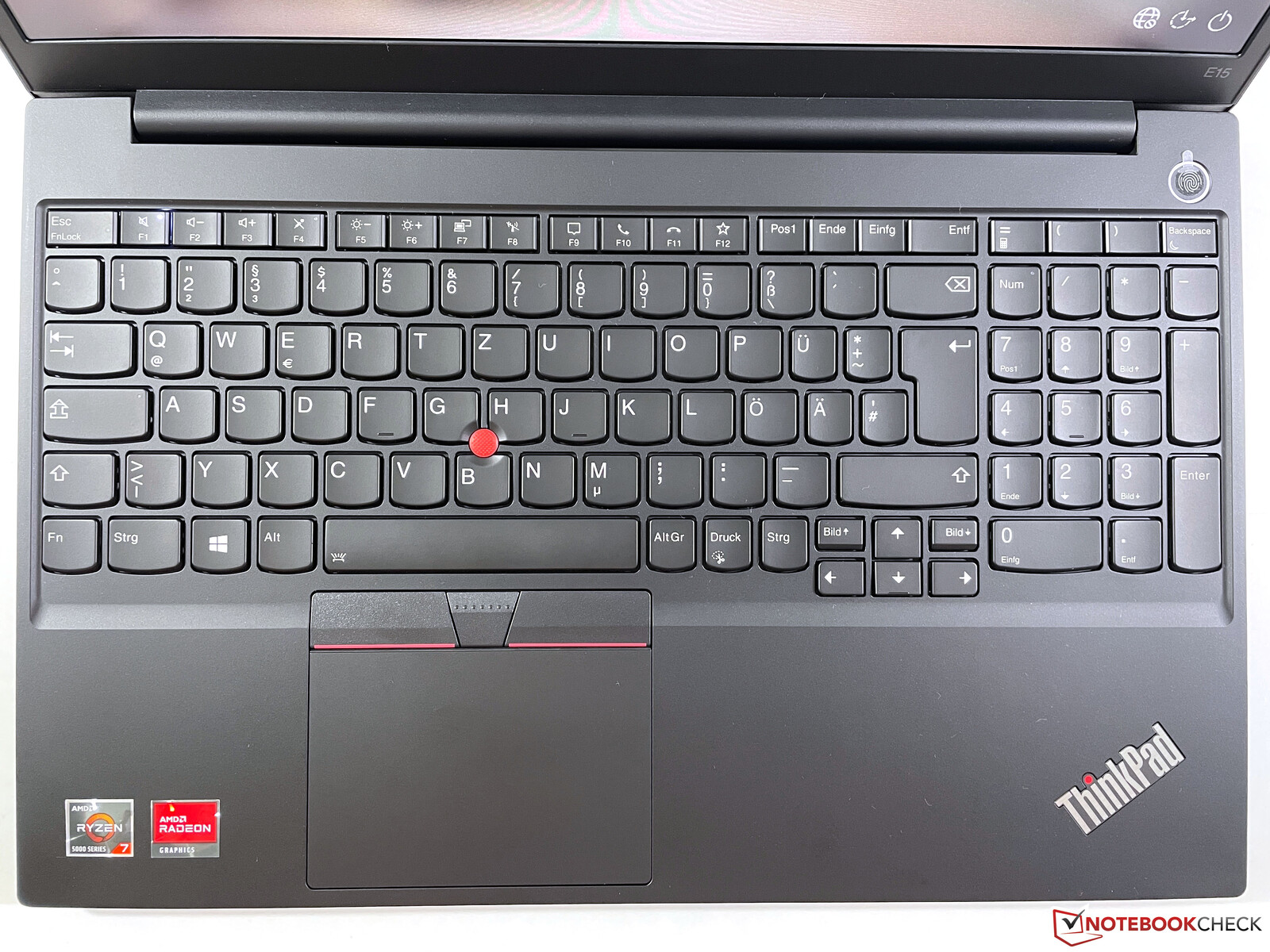
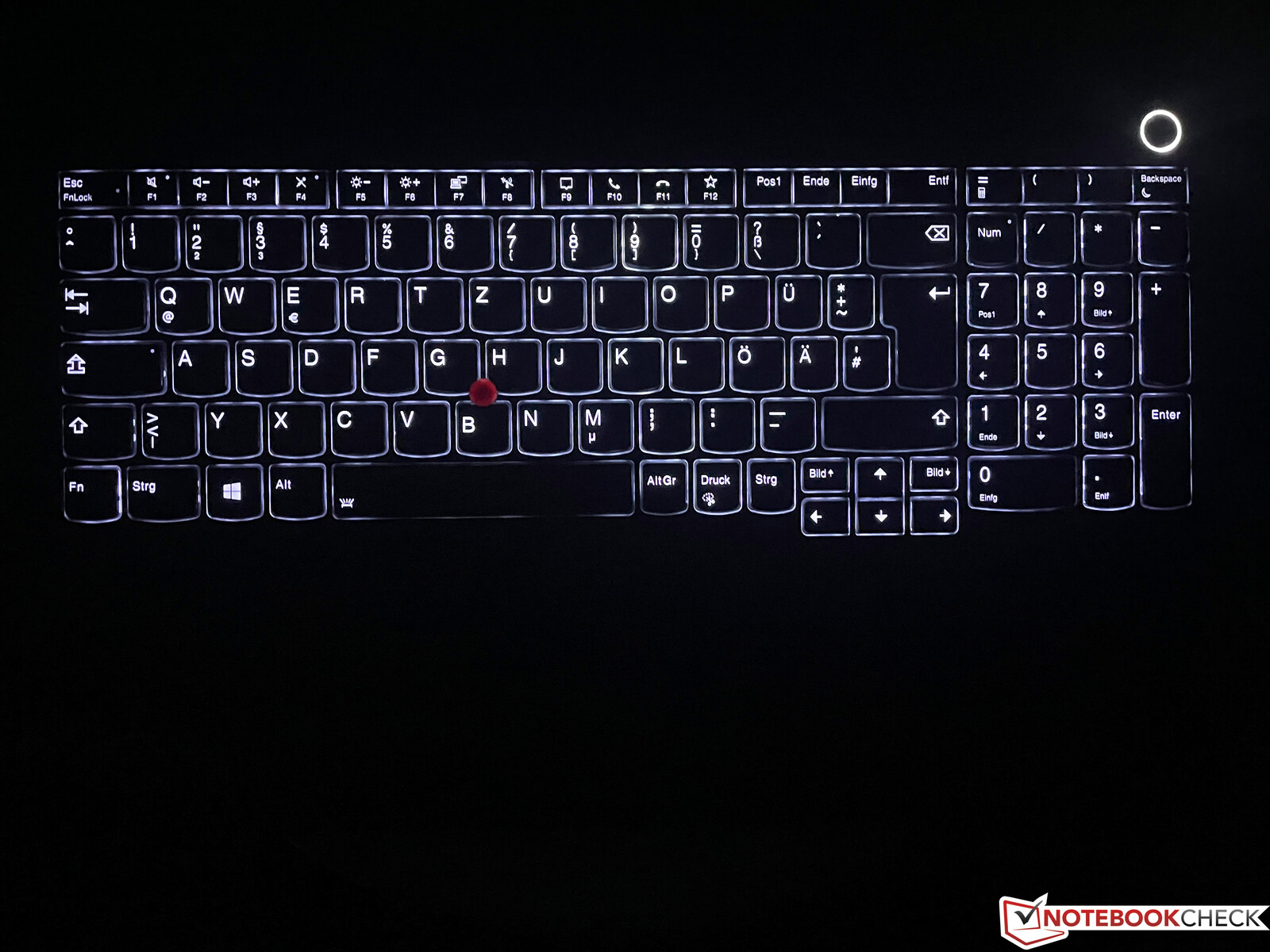
Lenovo still uses the familiar keyboard with 1.8 mm travel for the E15, which offers a rich typing experience, and it is one of the best keyboards in the mobile segment, despite the low price. You also get a dedicated numpad, but this means the touchpad is slightly shifted towards the left, which might require some time getting used to. Thanks to the two-stage background illumination, typing in darker environments is no problem, either.
The touchpad works well, but the size is not very generous for modern standards due to the additional TrackPoint buttons. The buttons create a very quiet and subdued clicking noise, which leaves a high quality impression. Using the TrackPoint also works well after a little training period.
Input Devices
Keyboard illumination
Display - E15 G3 with optional 100% sRGB screen
Subpixel layout
Barely visible backlight bleeding
The display was always weakness of the ThinkPad E15 with a luminance around 250 nits. Lenovo improved the specs for the E15 G3 and the panel is new brighter rated at 300 nits, but our model is even brighter at ~330 nits on average. Thanks to the low black value, the contrast ratio is very good and the subjective picture quality is good as well, but bright surfaces look a bit grainy.
We did not detect PWM flickering, but the response times are not the fastest and there is some ghosting. However, this should not be a big issue for an office laptop. Backlight bleeding is very minor at the bottom edge.
We analyzed and calibrated the panel with the professional CalMAN software and the X-Rite i1 Pro 2. First of all, this is an inexpensive IPS screen with high color deviations and even the small sRGB color gamut is only covered by 60%. The grayscale performance, however, is already very good out of the box and there is no color cast. We can slightly improve the results with our own calibration, but you will not see the difference with the naked eye.
This display is a good choice for an office environment, but we recommend you get the optional FHD screen with full sRGB coverage if you plan on editing some pictures/videos.
Depending on the ambient light, you can work pretty comfortably on the matte panel outdoors and there are no limitations in terms of viewing angle stability.
Processor - Ryzen 7 5700U (Zen 2)
Our test unit is equipped with the AMD Ryzen 7 5700U with 8 cores (16 threads), which is manufactured in a 7 nm process, but it is still based on the Zen 2 architecture. The recently reviewed ThinkPad L15 G2 is already equipped with Zen 3 chips and is even available with Ryzen Pro CPUs that offer enhanced security features.
The CPU maintains a power consumption of 30W (8x 3.3 GHz) for a while and only starts dropping to 25W after around 15-20 minutes. The performance is very good and the new processor is about 30-40% faster than the old Ryzen 7 4700U in multi-core tests. Intel's Tiger Lake-U chips are clearly beaten and only have a small advantage in single-core tests. The new Zen 3 CPUs (see ThinkPad L15 G2), however, have already closed the gap. The CPU performance is not reduced on battery power.
System Performance
Thanks to the powerful processor and the PCIe-SSD, the E15 G3 is a very fast and responsive companion, which is also supported by the synthetic benchmarks. There won't be any bottlenecks in the next couple of years.
DPC-Latency
Our DPC latency test shows an improvement over the previous model, but there are still limitations. The E15 G3 is therefore not ideal for real-time audio applications.
Storage Devices
The ThinkPad E15 G2 has two M.2-SSD slots (PCIe 3.0 x4) and our test unit is equipped with a M.2-2280 drive, which means you can use the free M.2-2242 slot for storage expansion. The SSD from SK Hynix (PC711) offers a generous storage capacity of 1 TB and you can use around 912 GB after the initial set-up. Transfer rates are very good and the SSD is one of the fastest PCIe 3.0 drives. More SSD benchmarks are available here.
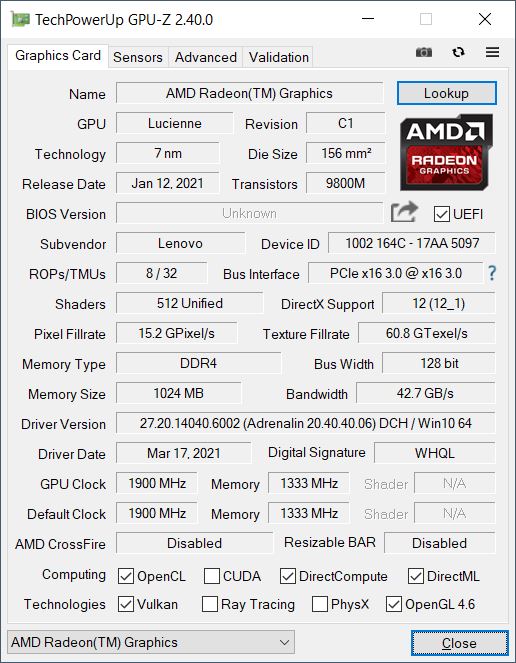
We are already familiar with integrated graphics card Radeon RX Vega 8 from the old Ryzen 4000 processors. The performance is pretty much identical, only the integrated video decoder is much more efficient. Our test unit has a dual-channel memory configuration, which improves the iGPU performance, but Intel's current Xe Graphics G7 (96 EUs) is still 20-40% faster in the synthetic benchmarks. The actual gaming performance is much more comparable though. The gaming performance of an office laptop is obviously not great, but many popular and not very demanding still run smoothly at low/medium settings.
Emissions & Energy - E15 G3 is always quiet
System Noise
The new ThinkPad E15 G3 is still a very quiet laptop, and you can only hear a quiet murmur from the fan under load. It is often completely silent in everyday situations and even short peak load is handled without the fan. We noticed a quiet electronic noise during some benchmarks, which seemed to originate from the SSD, but we did not hear it on any other occasion. Our test unit did not suffer from coil whine.
Temperature
The high performance in combination with the quiet fan results in very high surface temperatures under heavy load. We measure around 60 °C around the heat pipe, which is just too much for an office laptop. You should not put the notebook on your lap in these scenarios. You will also notice the warm keyboard, but there are no limitations. However, the device is much cooler in regular office scenarios (MS Office suite, mails, web tools etc.).
The power consumption is steady at 30W for the first 15 minutes and then slowly levels off at 25W. All in all a good result, but we would have liked to see a better cooling solution.
Speakers
The two speakers (2x 2W) are located at the bottom (front edge) and can be really loud. They do a good job for an office laptop and they are completely sufficient in an office environment (conferences, videos).
Power Consumption
Our consumption measurements do not reveal any surprises. Contrary to Intel based laptops, the consumption is stable for a while during the stress test at around 53-54W and then drops towards 47-48W. The included 65W power adapter (USB-C) is completely sufficient.
Battery Runtime
Thanks to the increased battery capacity (from 45 to 57 Wh), the battery runtime is longer now. Our Wi-Fi test at 150 nits runs for almost 10 hours and still more than 7 hours with the maximum brightness. These are very good results and there is no disadvantage for AMD systems anymore. A full charge takes two hours when the device is turned on (59% after 38 minutes).
Verdict - The ThinkPad E15 G3 offers a good price-performance ratio
In review: Lenovo ThinkPad E15 G3 AMD. Test model courtesy of Campuspoint.
The third generation of the ThinkPad E15 offers a much faster processor and a brighter display. The standard display is already brighter than 300 nits, which fixes on of the issues from the previous models. There is even a new option for a panel with full sRGB gamut if you want to edit pictures or videos, but the standard panel is completely sufficient for most office scenarios.
The performance utilization of the Ryzen 5000 processor (Zen 2) is very good and the fan is also quiet, but this results in very high surface temperatures under load. We already know the temperature problems from earlier ThinkPad E-series laptops with dedicated GPUs. Lenovo should improve the cooling for future models. The port selection with HDMI 1.4b and USB 2.0 is also pretty outdated and should be improved.
A lot of performance, brighter display, very good keyboard and long battery runtime: The ThinkPad E15 G3 with the AMD Ryzen processor is a good office laptop for an affordable price, only the high surface temperatures under load and the outdated port selection affect the overall impression.
The recently reviewed ThinkPad L15 G2 is a bit more expensive, but also offers more modern ports and faster Zen 3 processor with the option for Ryzen Pro chips with enhanced security features. We did not review the current entry-level office laptops from competitors like Dell (Vostro) and HP (ProBook) yet, so we cannot compare the devices yet.
Price and Availability
The ThinkPad E15 G3 with the Ryzen 7 5700U is available on amazon