

Introducing the Qualcomm Snapdragon 8cx Gen 3
Until now, ThinkPads and the x86 architecture have been tightly connected. Aside from a brief excursion towards PowerPCs in the 90s under the IBM label, ThinkPad laptops always used an Intel or AMD processor. But the tech sector is on the move, and Qualcomm is attempting to take some of the market share away from the top dogs of the PC segment.
Until now, Windows on ARM hasn't been a success yet, which aside from the lack of performance has been mainly due to the bad app compatibility. While the latter has slightly improved with Windows 11, for the performance capabilities, there is now the Qualcomm Snapdragon 8cx Gen 3, which is introduced for the first time in the Lenovo ThinkPad X13s. This is also the first ARM ThinkPad and the first fan-less design from Lenovo, which might also make the 13.3-inch laptop an interesting competitor to also passively cooled the Apple MacBook Air.
Magnesium ThinkPad in dark gray
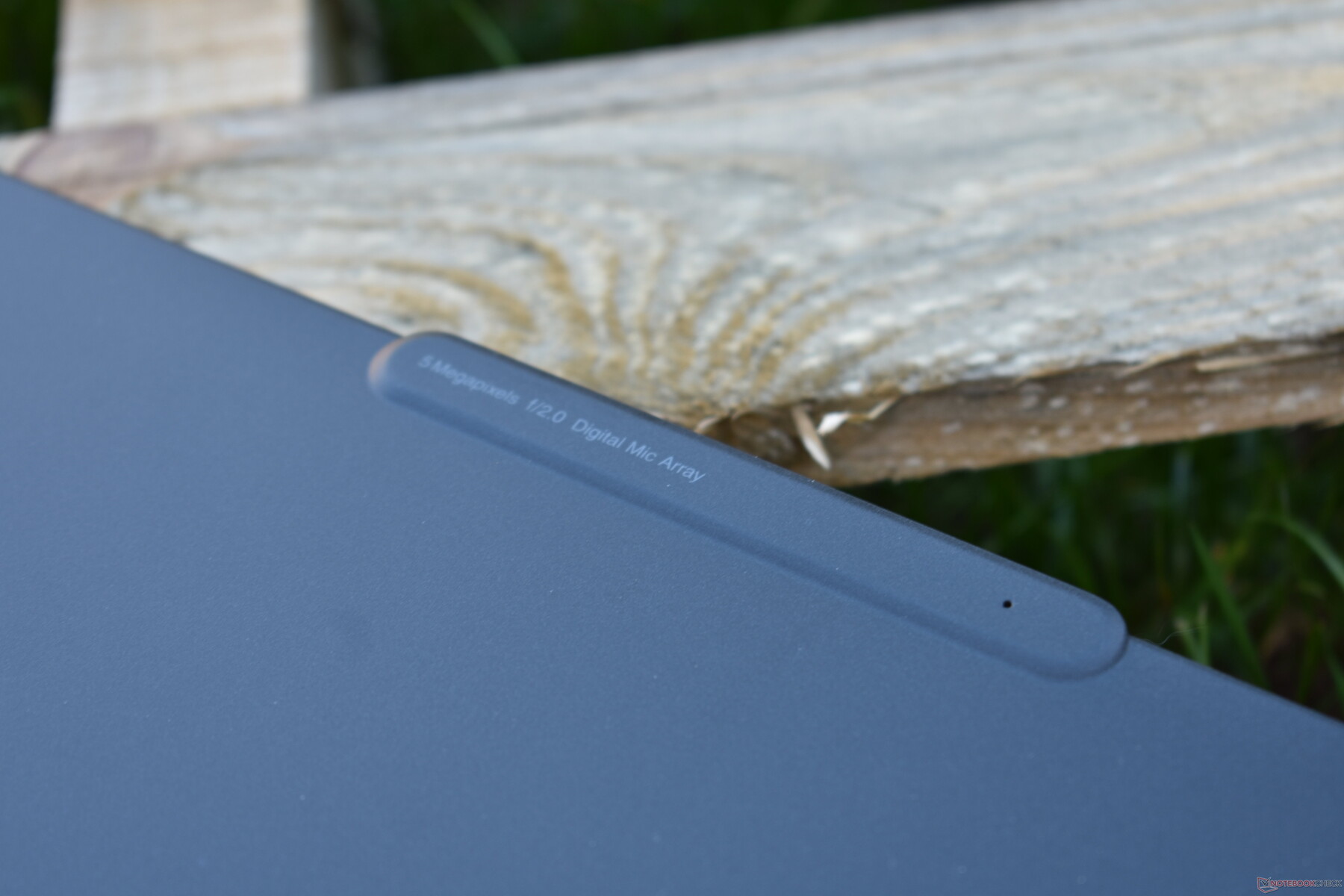
While in earlier days, the s models of the X series used to come in almost the same designs as their regular counterparts, Lenovo uses a unique design for the ThinkPad X13s, which stands out significantly from other ThinkPads such as the ThinkPad X13 G2. One commonality is still the dark gray case color that Lenovo uses for almost all ThinkPads at this point. Compared to the black cases of older ThinkPads, this leads to less visible fingerprints on the case.
But the similarities already end in the design language: The case of the X13s is more rounded overall, with rounded corners and edges. In contrast to many other current ThinkPad laptops, it also isn't tapered toward the front. This is something the X13s shares with the ThinkPad Z13, just like the camera bulge on the display lid, which also makes a practical handle to open the cover. However, the display opening angle is limited to only 135 degrees in the ThinkPad X13s, which is unusual for a ThinkPad.
The case is made from a glass-fiber plastic and magnesium mix, as often used in ThinkPads. But interestingly, Lenovo uses this concept in a different way than in the regular ThinkPad X13, for example: In the ThinkPad X13s, not the display lid but part of the base unit is made from glass fiber. The display lid is made of black lacquered magnesium, which makes the display unit fairly robust and resistant to warping. In terms of its stability, the base unit also doesn't give much reason for complaint, even if aluminum designs have some advantages in terms of stiffness to resist warping.

Thanks to its slim display bezels, the Lenovo ThinkPad X13s is slightly more compact than many competitors. But only the Dell XPS 13 9315 is really much smaller. In terms of weight, the ThinkPad X13s G1 is also one of the lighter devices, although the ThinkPad X1 Nano is even lighter.
Equipment: Lenovo laptop without HDMI but with 5G
In contrast to the regular ThinkPad X13, the ThinkPad X13s forgoes legacy ports such as USB-A and HDMI. Instead, the connection equipment is similarly reduced as that of the ThinkPad X1 Nano, with the ThinkPad X13s not offering Thunderbolt or USB 4 either. The maximum the ARM ThinkPad delivers is USB 3.2 Gen 2. But at least, the two USB-C ports can also be used as DisplayPort or for charging the device.


Communication
The first of the two communication modules is the Qualcomm WCN685x. This 2x2 module is supposed to support the WiFi 6E standard, but in our test unit, the corresponding benchmarks resulted in extremely low values, so the WiFi 6E mode didn't really work right. Fortunately, at least the regular WiFi 6 worked without a hitch, and the Lenovo ThinkPad X13s achieved high transfer rates here.
As a second option to connect to the Internet, there is also WWAN in form of the Qualcomm X55 5G modem. While there are generally mmWave and also Sub6 models, the X13s here doesn't have mmWave. In addition, you have to be aware that there are also models without WWAN and you cannot install 5G afterwards, if it isn't included in the beginning.
Webcam
With its dedicated bulge, the camera is a design feature of the Lenovo ThinkPad X13s that stands out. With a resolution of 5 Megapixels, it offers one of the highest resolutions of the current ThinkPads. The quality of the recordings is indeed worth seeing, and it is a good webcam for a laptop.
Security
In addition to the obligatory fingerprint reader that is integrated into the power button here, the Lenovo ThinkPad X13s also offers a Kensington Lock on the right side, which in combination with the corresponding lock can protect the laptop from getting stolen. There is also an infrared camera in the display lid, which can be used for secure login via Windows Hello as an alternative to the fingerprint reader.
Accessories
Besides the ThinkPad laptop, the box only includes the 65-Watt charger. In terms of docking: Since the laptop lacks Thunderbolt, you cannot use docks with this standard. On its "Smartfind" accessory website, Lenovo only lists a USB-C dock as compatible with the ThinkPad X13s (ThinkPad Universal USB-C Dock).
Maintenance
It is relatively easy to open the Lenovo ThinkPad X13s G1. There are a total of 6 screws on the bottom that have to be removed. The screws remain in the bottom cover, so they cannot get lost. The service cover is also secured with a few clips on the back, but those can easily be loosened with a plastic prying tool.
Since the working memory is soldered in, the ThinkPad laptop doesn't offer many upgrade options. The M.2-2242 SSD can be replaced, but only with a model without chips at the bottom of the module. In the state of delivery, the SSD and the 5G module are hidden underneath a copper heat sink, but that can easily be removed by loosening 2 screws.
A difference to the ThinkPad X13 Gen 3: The keyboard of the X13s cannot be easily replaced by the user.


Warranty
By default, the Lenovo ThinkPad X13s includes a standard 3-year warranty that includes pickup-and-return service. In the case of requiring service, the device is picked up and repaired by the manufacturer. As a business device, on-site service is also available as an optional upgrade, in addition to accident insurance and an extended battery warranty. The warranty can also be extended up to five years. (When purchased in Germany) the warranty of the X13s is primarily valid only in Germany (i.e., the country where you purchased it), but as business laptops, ThinkPads also have an international bring-in warranty for the warranty period.
Input Devices: ThinkPad TrackPoint with some unusual problems
Keyboard
Just like the regular ThinkPad X13 and the ThinkPad X1 Nano G2, the Lenovo ThinkPad X13s Gen 1 also has a keyboard with a reduced 95% size layout. This means that the width of some keys on the right side is significantly reduced, the top key row is less tall, the keyboard has one less key than the 14-inch ThinkPads (the Insert key), and all the keys are overall minimally smaller. In terms of the typing experience, the backlit keyboard of the X13s corresponds more to that of the X1 Nano than the X13, since the key stroke is 1.35 mm (~0.05 in). With this, the X13s is at the lower end of the current ThinkPad lineup. But don't understand me wrong - this is an excellent keyboard. It only isn't quite able to keep up with those of the larger ThinkPads, since it just lacks a slight amount of the depth.


Touchpad and TrackPoint
At 11.5 x 5.6 cm (~4.5 x 2.2 in), the touchpad is relatively large. The surface of the ClickPad is made of mylar plastic, which Lenovo calls "glass like." It is indeed very smooth and at least looks like glass and makes it very easy to slide your fingers. The mechanics get a similarly good evaluation. The ClickPad can be clicked in the bottom area, the clicks are muted, and the touchpad doesn't wobble. The software features (accuracy, gestures) also give no reason for complaint. It is a good touchpad, even if it isn't at the highest level.
Alternatively, there is also the TrackPoint, allowing you to move the mouse pointer via pressing on the red pointing stick. The three keys above the touchpad belong to the TrackPoint. As usual, this is a very good alternative to the touchpad, once you got used to it. However, in the ThinkPad X13s the TrackPoint isn't quite as good as in other ThinkPads: the mouse pointer is unfortunately slightly wobbly and not completely smooth, at least in our test unit.
The display of the Lenovo ThinkPad could be brighter
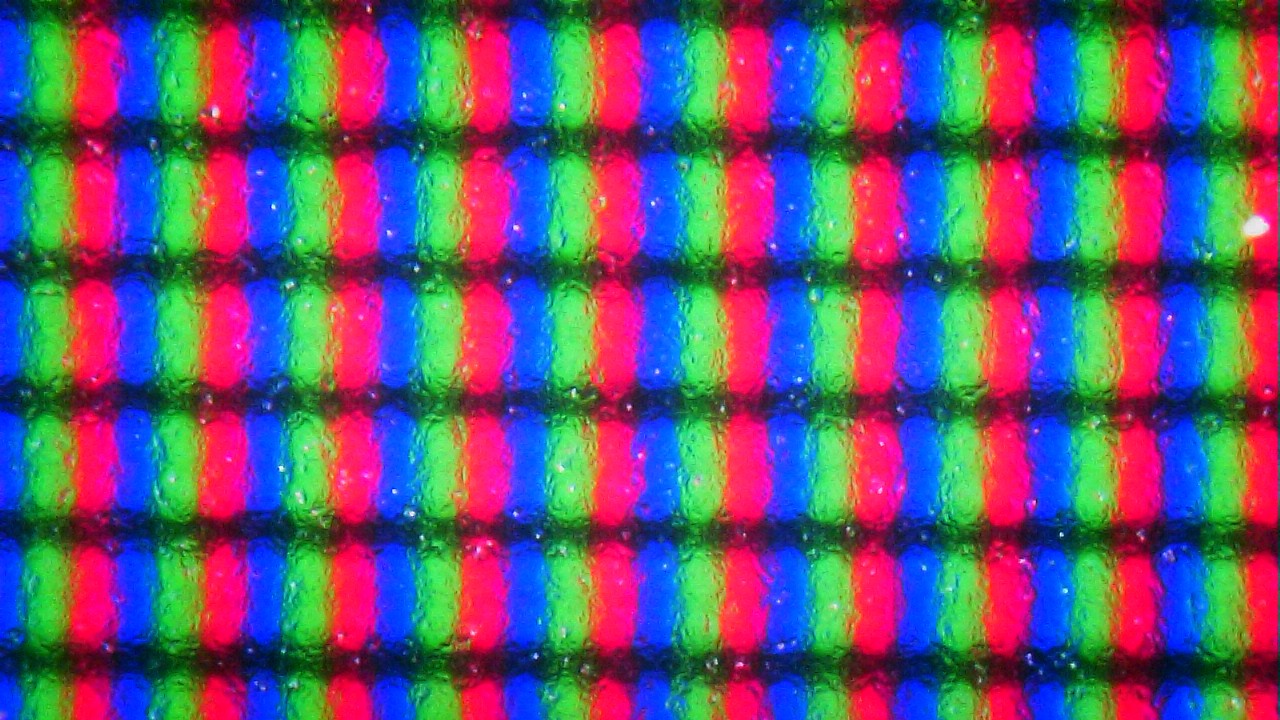
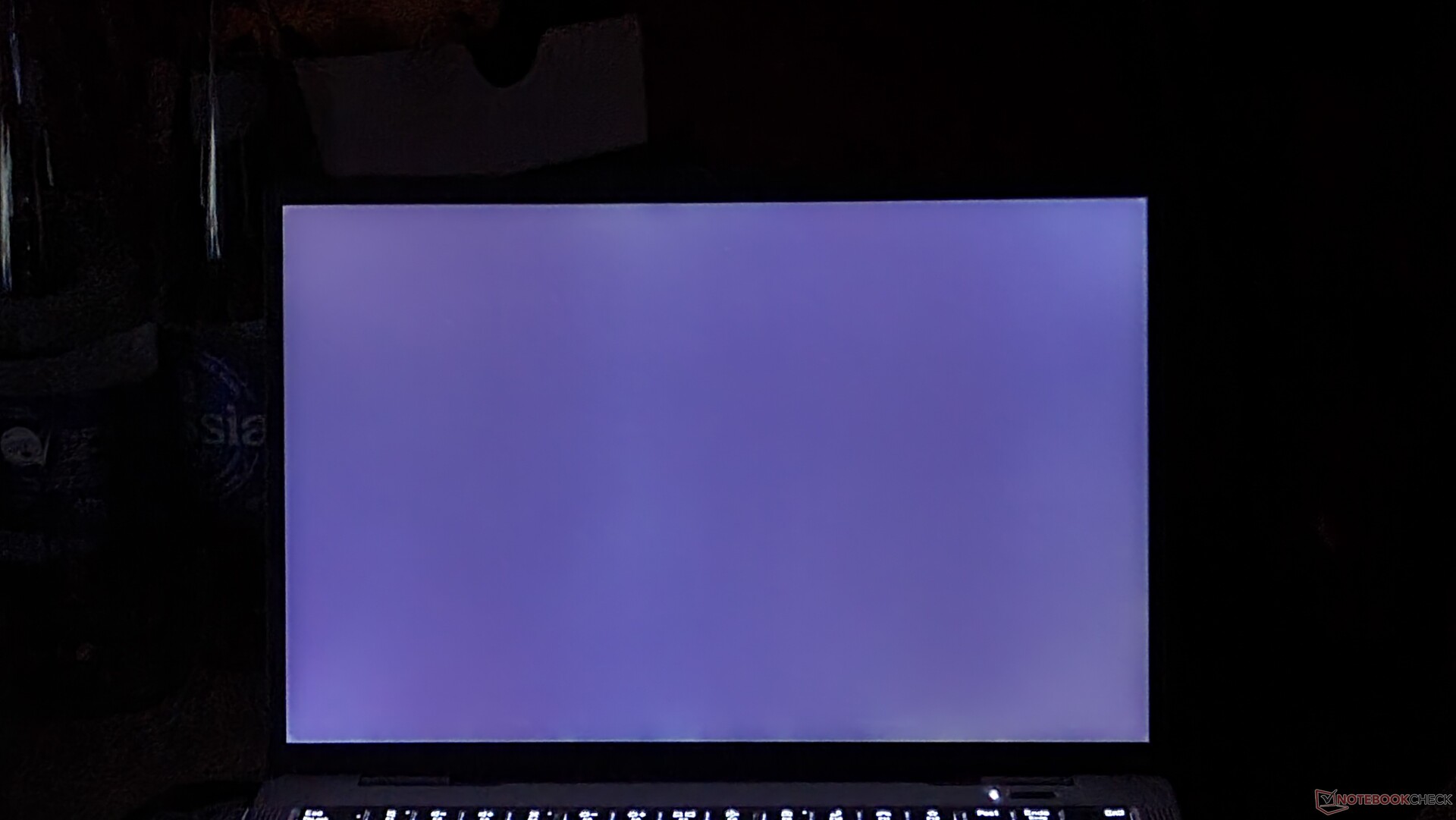
As often with ThinkPad laptops, there are also several display options for the ThinkPad X13s. However, all the available 13.3-inch displays in the 16:10 format have the same resolution of WUXGA (1920 x 1080 pixels). In addition, all the panels have a matte surface in common. The differences are in the detail:
- Option 1: 300 cd/m², 100% sRGB
- Option 2: 300 cd/m², 72% NTSC, on-cell multi-touch
- Option 3: 400 cd/m², 100% sRGB, low power
So far so good, and the basic panel of our test unit just barely misses the promised 300 cd/m². At only 293 cd/m², it is the darkest display in our comparison, so Lenovo clearly cut some corners with the display here.
| |||||||||||||||||||
Brightness Distribution: 93 %
Center on Battery: 307 cd/m²
Contrast: 1335:1 (Black: 0.23 cd/m²)
ΔE Color 1.4 | 0.59-29.43 Ø5.2
ΔE Greyscale 1.7 | 0.57-98 Ø5.5
99.7% sRGB (Calman 2D)
Gamma: 2.21
| Lenovo ThinkPad X13s Gen 1 21BX000QGE NV133WUM-N61 , a-Si IPS LED, 1920x1200, 13.30 | Lenovo ThinkPad X13 G2 AMD 20XH001KGE NV133WUM-N61, IPS LED, 1920x1200, 13.30 | Apple MacBook Air M2 Entry IPS, 2560x1664, 13.60 | HP Elite Dragonfly G3 Chi Mei CMN13C0, IPS, 1920x1280, 13.50 | Dell XPS 13 9315, i5-1230U Sharp SHP1548 LQ134N1, IPS, 1920x1200, 13.40 | Lenovo ThinkPad X1 Nano Gen 2 Core i7-1280P P101ZFZ-BH2, IPS, 2160x1350, 13.00 | |
|---|---|---|---|---|---|---|
| Display | ||||||
| Display P3 Coverage | 70.1 | 98.4 | 68 | 69 | 66.2 | |
| sRGB Coverage | 99.4 | 99.9 | 98.3 | 100 | 96.1 | |
| AdobeRGB 1998 Coverage | 71.3 | 87.6 | 69.9 | 71 | 68.3 | |
| Response Times | -27% | -33% | -96% | -38% | -55% | |
| Response Time Grey 50% / Grey 80% * | 27 ? | 34 ? -26% | 32.9 ? -22% | 50.8 ? -88% | 40 ? -48% | 43.6 ? -61% |
| Response Time Black / White * | 17.3 ? | 22 ? -27% | 24.9 ? -44% | 35.2 ? -103% | 22 ? -27% | 25.6 ? -48% |
| PWM Frequency | ||||||
| Screen | -4% | 12% | -15% | -30% | -64% | |
| Brightness middle | 307 | 309 1% | 526 71% | 387.2 26% | 466 52% | 469.6 53% |
| Brightness | 293 | 297 1% | 486 66% | 360 23% | 442 51% | 460 57% |
| Brightness Distribution | 93 | 81 -13% | 87 -6% | 80 -14% | 89 -4% | 94 1% |
| Black Level * | 0.23 | 0.26 -13% | 0.38 -65% | 0.26 -13% | 0.4 -74% | 0.37 -61% |
| Contrast | 1335 | 1188 -11% | 1384 4% | 1489 12% | 1165 -13% | 1269 -5% |
| Colorchecker dE 2000 * | 1.4 | 1.6 -14% | 1.3 7% | 2.36 -69% | 3.03 -116% | 4.85 -246% |
| Colorchecker dE 2000 max. * | 4.4 | 3 32% | 2.7 39% | 4.79 -9% | 6.68 -52% | 7.62 -73% |
| Greyscale dE 2000 * | 1.7 | 2 -18% | 2 -18% | 3 -76% | 3.12 -84% | 5.7 -235% |
| Gamma | 2.21 100% | 2.24 98% | 2.25 98% | 2.17 101% | 2.41 91% | 2.13 103% |
| CCT | 6630 98% | 6315 103% | 6858 95% | 6137 106% | 6418 101% | 6931 94% |
| Colorchecker dE 2000 calibrated * | 0.8 | 0.7 | 0.63 | 2.34 | 1.22 | |
| Total Average (Program / Settings) | -16% / -9% | -11% / 3% | -56% / -31% | -34% / -32% | -60% / -62% |
* ... smaller is better

Grayscale

Saturation

Color Space

ColorChecker
Due to a lack of drivers, we were unfortunately unable to calibrate the display of the Lenovo ThinkPad X13s. The basic measurements using CalMan and the X-Rite i1Pro 2 Colorimeter worked fine. At least, the deviation from the ideal values were not extremely high in the state of delivery, so that the Delta-E values also turned out relatively low even without a calibration.
We also had to forego the regular measurement of the color space values. However, using CalMan we measured a 99.7% coverage of the sRGB color space, but only in the less wide 2D union.

Outdoors (in the shade)
Outdoors, the low brightness values of the display already make things difficult, even with the matte surface. You should definitely avoid direct sunlight.
Display Response Times
| ↔ Response Time Black to White | ||
|---|---|---|
| 17.3 ms ... rise ↗ and fall ↘ combined | ↗ 8.8 ms rise | 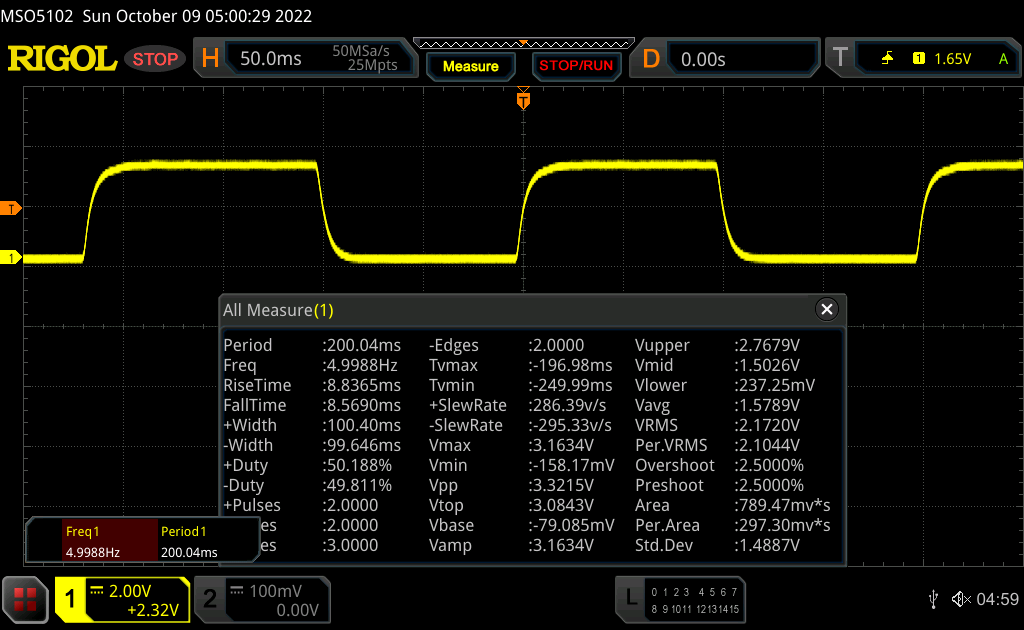 |
| ↘ 8.5 ms fall | ||
| The screen shows good response rates in our tests, but may be too slow for competitive gamers. In comparison, all tested devices range from 0.4 (minimum) to 240 (maximum) ms. » 28 % of all devices are better. This means that the measured response time is better than the average of all tested devices (22.8 ms). | ||
| ↔ Response Time 50% Grey to 80% Grey | ||
| 27 ms ... rise ↗ and fall ↘ combined | ↗ 11.6 ms rise | 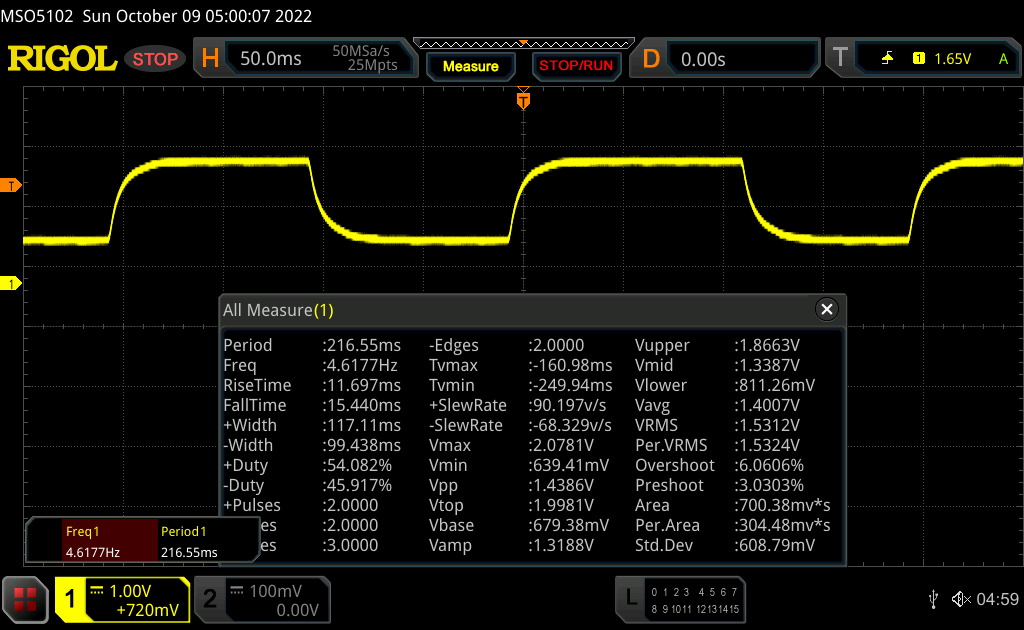 |
| ↘ 15.4 ms fall | ||
| The screen shows relatively slow response rates in our tests and may be too slow for gamers. In comparison, all tested devices range from 0.25 (minimum) to 636 (maximum) ms. » 25 % of all devices are better. This means that the measured response time is better than the average of all tested devices (36 ms). | ||
Screen Flickering / PWM (Pulse-Width Modulation)
| Screen flickering / PWM not detected | 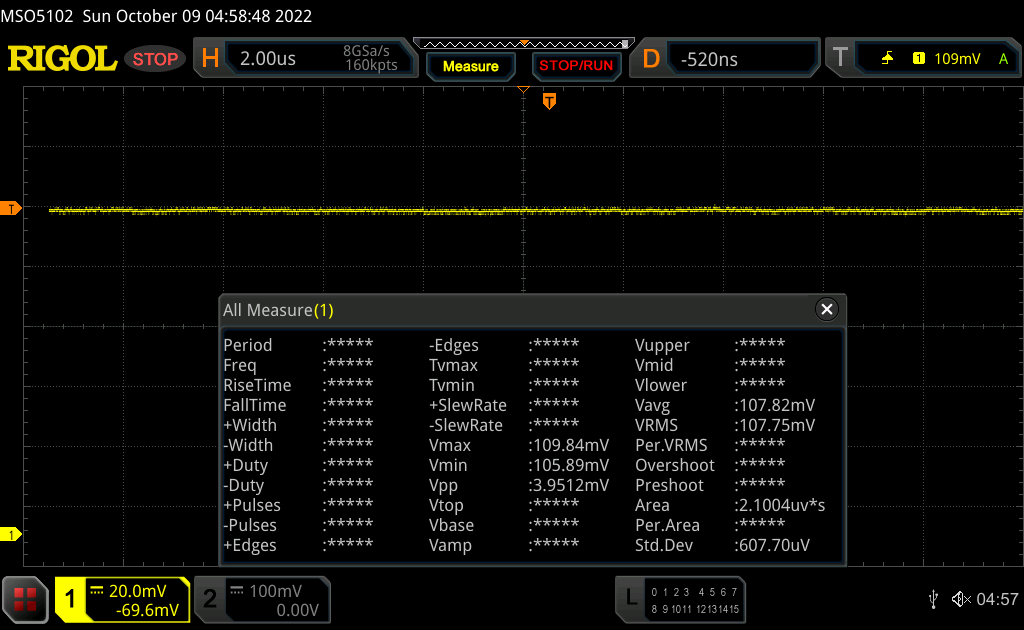 | ||
In comparison: 53 % of all tested devices do not use PWM to dim the display. If PWM was detected, an average of 19625 (minimum: 5 - maximum: 3846000) Hz was measured. | |||
Looking at it from the side or at an angle from the top or bottom, the display loses some of the brightness. Otherwise, the viewing angle stability of the IPS LCD screen doesn't give any reason for complaint.


Performance: Qualcomm achieved some progress but no breakthrough yet
With x86 ThinkPads, customers almost always have a choice among various processors. However, this is not the case in the Lenovo ThinkPad X13s G1, which always includes the Qualcomm Snapdragon 8cx Gen 3. Its integrated graphics chip handles the graphics acceleration. The working memory is soldered in, and there are either 8, 16, or 32 GB of LPDDR4X storage. A single M.2-2242 SSD serves as the storage solution.
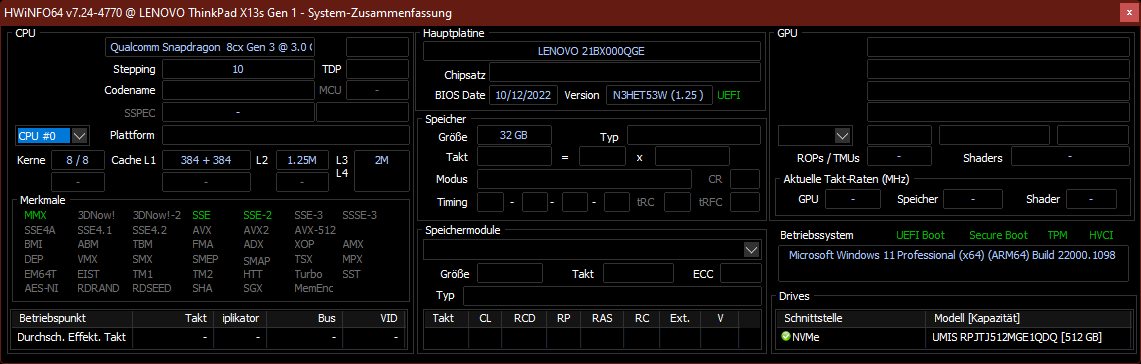
Test Conditions
The Lenovo ThinkPad X13s Gen 1 doesn't offer any different power modes, and you can also not read the TDP of the processor with HWiNFO as usual. According to Qualcomm, the processor has a TDP of 7 watts.
As in all the Windows on ARM (WoA) devices before, there are several benchmarks that don't work. But at least we can say, that with Windows 11 and the 64-Bit emulation, now significantly more benchmarks are able to run.
Processor
With the Qualcomm Snapdragon 8xc Gen 3, the processor that was designed by Qualcomm particularly for PCs goes into its third generation, just like the name says. Like the current Intel Alder Lake CPUs, this ARM processor also has two kinds of cores: 4 Performance cores (up to 3 GHz) and 4 Efficiency cores (up to 2.4 GHz). You can find more in-depth benchmark comparisons with other processors in our CPU list.
Even if Qualcomm made some progress here, there is still a lot of work that remains for the CPU manufacturer before it can catch up to Intel, AMD, and Apple. The difference turns out particularly stark in the single-core performance, where all the other comparison laptops are more than twice as fast. The x86 chips and ARM CPUs are also significantly faster in terms of the performance under load on several cores. Even the Intel Core-1230U of the Dell XPS 13 9315, which is limited to 10 watts, is still about 25% faster in the Cinebench-R23 Multicore test.
The CPU performance is not additionally limited in battery operation.
Cinebench R23: Multi Core | Single Core
Cinebench R20: CPU (Multi Core) | CPU (Single Core)
Blender: v2.79 BMW27 CPU
7-Zip 18.03: 7z b 4 | 7z b 4 -mmt1
Geekbench 5.4: Multi-Core | Single-Core
HWBOT x265 Benchmark v2.2: 4k Preset
LibreOffice : 20 Documents To PDF
R Benchmark 2.5: Overall mean
| 7-Zip 18.03 / 7z b 4 -mmt1 | |
| Lenovo ThinkPad X1 Nano Gen 2 Core i7-1280P Intel Core i7-1280P | 5621 MIPS ∼100%+45% |
| Lenovo ThinkPad X13 G2 AMD 20XH001KGE AMD Ryzen 5 PRO 5650U | 5081 MIPS ∼90%+31% |
| HP Elite Dragonfly G3 Intel Core i7-1265U | 4976 MIPS ∼89%+28% |
| Average of class Subnotebook (2145 - 5833, n=95, last 2 years) | 4793 MIPS ∼85%+24% |
| Lenovo ThinkPad X13s Gen 1 21BX000QGE Qualcomm Snapdragon 8cx Gen 3 | 3874 MIPS ∼69% |
| Average Qualcomm Snapdragon 8cx Gen 3 | 3874 MIPS ∼69%0% |
| Dell XPS 13 9315, i5-1230U Intel Core i5-1230U | 3873 MIPS ∼69%0% |
* ... smaller is better
AIDA64: FP32 Ray-Trace | FPU Julia | CPU SHA3 | CPU Queen | FPU SinJulia | FPU Mandel | CPU AES | CPU ZLib | FP64 Ray-Trace | CPU PhotoWorxx
| Performance Rating | |
| Lenovo ThinkPad X13 G2 AMD 20XH001KGE AMD Ryzen 5 PRO 5650U, Vega 7 | 89.9 pt ∼90% |
| Lenovo ThinkPad X1 Nano Gen 2 Core i7-1280P Intel Core i7-1280P, Iris Xe G7 96EUs | 84.8 pt ∼85% |
| Average of class Subnotebook | 77.4 pt ∼77% |
| HP Elite Dragonfly G3 Intel Core i7-1265U, Iris Xe G7 96EUs | 68.8 pt ∼69% |
| Dell XPS 13 9315, i5-1230U Intel Core i5-1230U, Iris Xe G7 80EUs | 36.6 pt ∼37% |
| Lenovo ThinkPad X13s Gen 1 21BX000QGE Qualcomm Snapdragon 8cx Gen 3, Adreno 690 | 21.2 pt ∼21% |
| Average Qualcomm Snapdragon 8cx Gen 3 | 21.2 pt ∼21% |
System Performance
While the PCMark 10 benchmark didn't run, the Lenovo ThinkPad X13s Gen 3 was able to complete the CrossMark benchmark. In this benchmark, which we use to measure the general system performance, the ARM laptop is only about half as fast as its closest x86 competitor. However, we did not think that the ThinkPad X13 seemed slow in everyday operation such as web surfing and Office operation. It is fast enough for these simple application scenarios, and the ThinkPad also ran smoothly with a 4K UHD video in the background.
| CrossMark / Overall | |
| Lenovo ThinkPad X1 Nano Gen 2 Core i7-1280P Iris Xe G7 96EUs, i7-1280P, Kioxia BG5 KBG5AZNT1T02 | 1703 Points ∼100%+137% |
| Apple MacBook Air M2 Entry M2 8-Core GPU, M2, Apple SSD AP0256Z | 1501 Points ∼88%+109% |
| HP Elite Dragonfly G3 Iris Xe G7 96EUs, i7-1265U, Micron 3400 MTFDKBA512TFH 512GB | 1424 Points ∼84%+98% |
| Average of class Subnotebook (718 - 1811, n=40, last 2 years) | 1396 Points ∼82%+94% |
| Dell XPS 13 9315, i5-1230U Iris Xe G7 80EUs, i5-1230U, Micron 3460 256 GB Soldered | 1312 Points ∼77%+83% |
| Lenovo ThinkPad X13s Gen 1 21BX000QGE Adreno 690, SD 8cx Gen 3, Lenovo UMIS AM630 RPJTJ512MGE1QDQ | 718 Points ∼42% |
| Average Qualcomm Snapdragon 8cx Gen 3, Qualcomm Adreno 690 | 718 Points ∼42%0% |
| AIDA64 / Memory Copy | |
| Lenovo ThinkPad X1 Nano Gen 2 Core i7-1280P Intel Core i7-1280P, Iris Xe G7 96EUs | 70828 MB/s ∼100%+72% |
| HP Elite Dragonfly G3 Intel Core i7-1265U, Iris Xe G7 96EUs | 65534 MB/s ∼93%+59% |
| Dell XPS 13 9315, i5-1230U Intel Core i5-1230U, Iris Xe G7 80EUs | 53116 MB/s ∼75%+29% |
| Average of class Subnotebook (12783 - 73486, n=86, last 2 years) | 47692 MB/s ∼67%+15% |
| Lenovo ThinkPad X13s Gen 1 21BX000QGE Qualcomm Snapdragon 8cx Gen 3, Adreno 690 | 41293 MB/s ∼58% |
| Average Qualcomm Snapdragon 8cx Gen 3 | 41293 MB/s ∼58%0% |
| Lenovo ThinkPad X13 G2 AMD 20XH001KGE AMD Ryzen 5 PRO 5650U, Vega 7 | 31262 MB/s ∼44%-24% |
* ... smaller is better
Storage Solution
In contrast to the current Intel and AMD platforms, the Qualcomm Snapdragon 8cx Gen 3 doesn't support PCIe 4.0 yet. The M.2-2242 SSD with a 512 GB capacity that is used here is made by the manufacturer UMIS and has to make do with PCIe 3.0. This also becomes apparent in the benchmarks, since this SSD is clearly the slowest in our comparison, which should become particularly apparent when copying larger amounts of data.
